Lesson 1: Introduction to Pelican
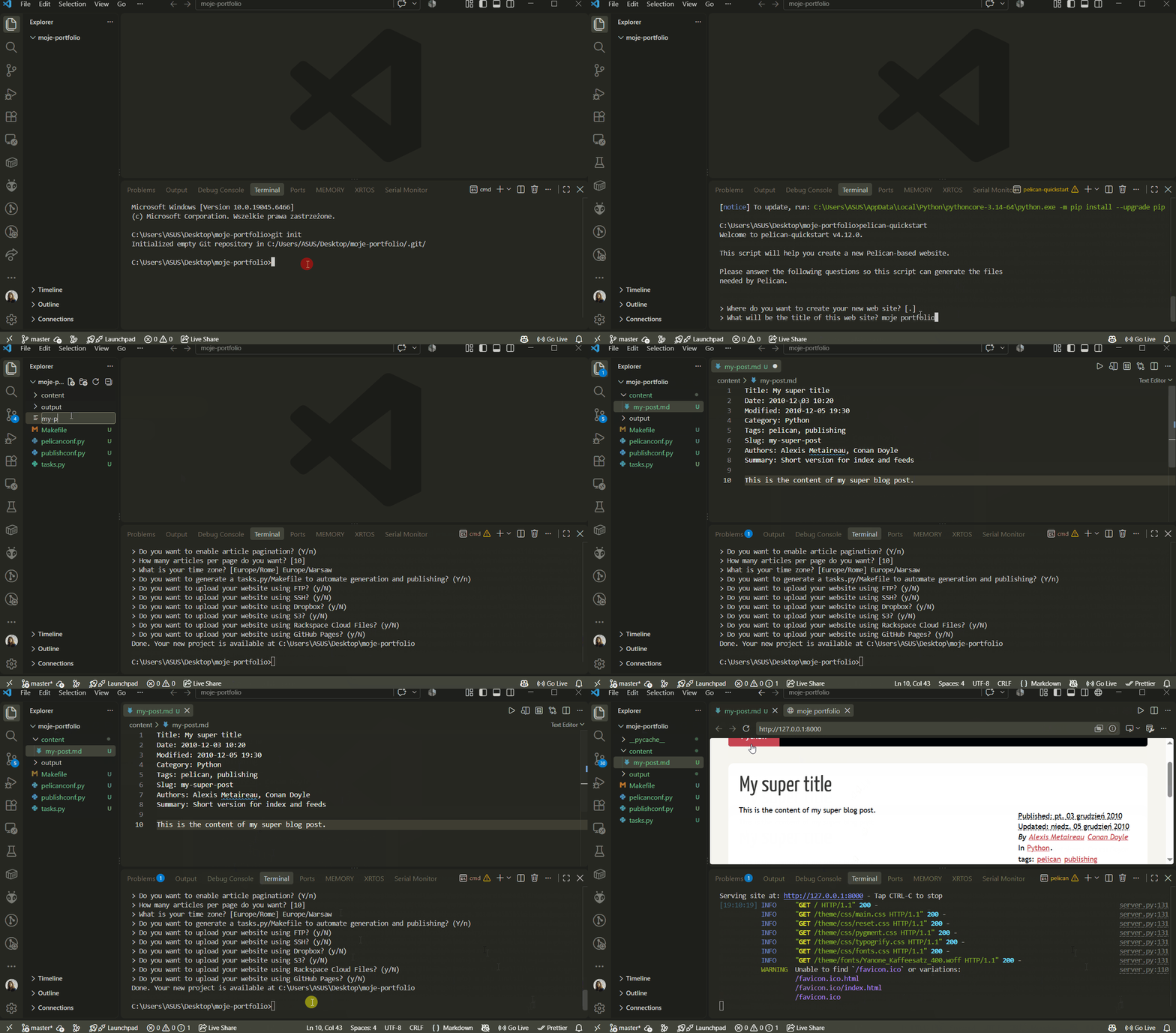
Opening our moje-portfolio project
Alternatively, we can create a new one:
Installing the library
Initializing the project
Adding the first post
Create a file named my-post.md in the content folder.
Paste the sample post content (or create your own):
Title: My super title
Date: 2010-12-03 10:20
Modified: 2010-12-05 19:30
Category: Python
Tags: pelican, publishing
Slug: my-super-post
Authors: Alexis Metaireau, Conan Doyle
Summary: Short version for index and feeds

This is the content of my super blog post.
For convenience, we previously installed Pelican with the markdown extension. This allows us to create posts in the Markdown format. Another available format is reStructuredText. ## Building the site
Running the site locally
Step-by-step video
Example
- pelican-sandbox – I created this sample site to demonstrate how you can start building a portfolio.
Pelican themes
We can customize the site's appearance using themes.
Cloning the themes repository
Changing the default site theme
The path can be absolute or relative to the pelicanconf.py file.